Equirectangular Panorama Capture, Explained
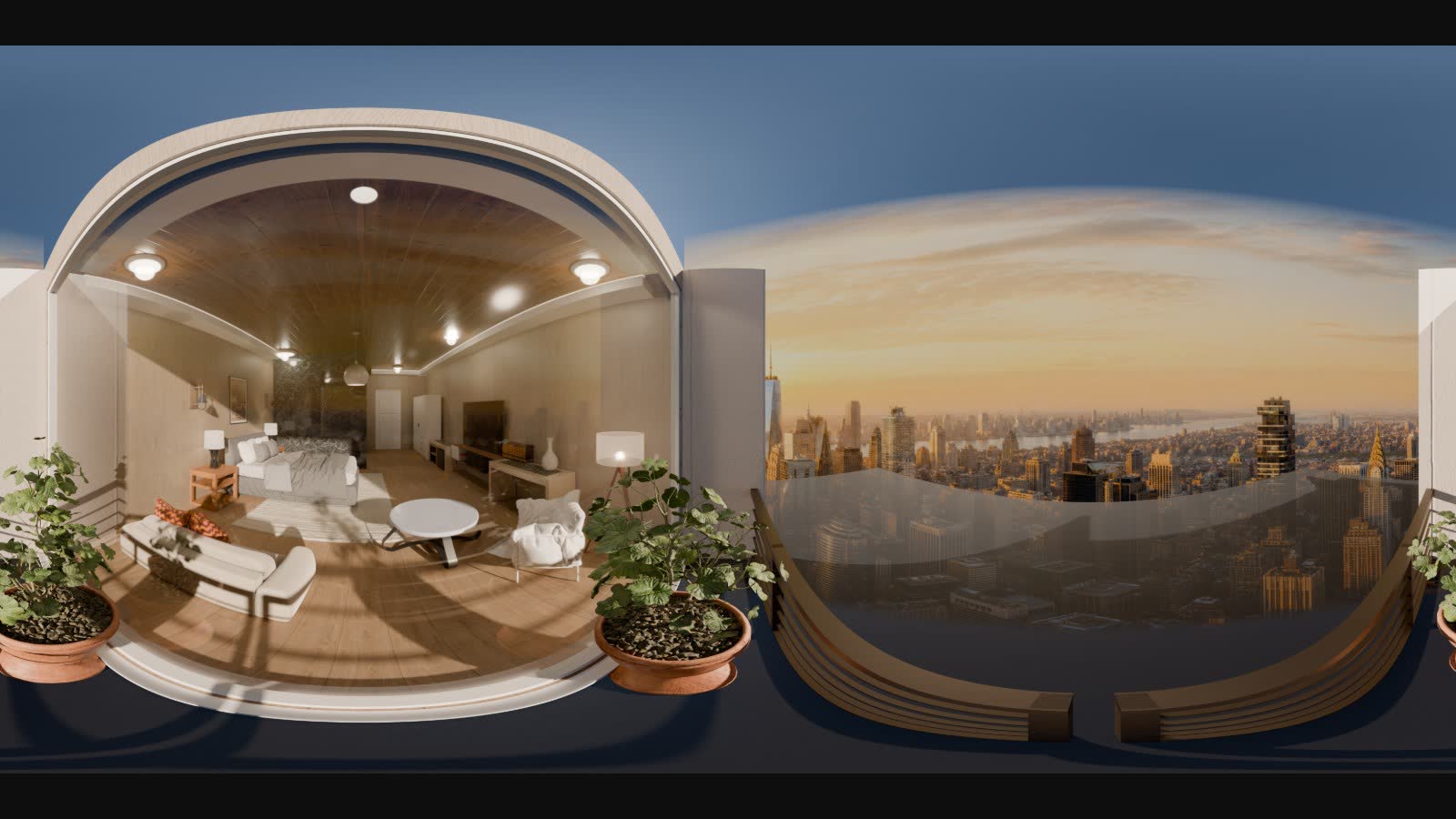
A 360° tour looks like magic until you look at the raw file behind it — a flat, visibly warped rectangle that doesn't resemble the room at all. That distortion isn't a bug, it's the entire point of the format, and understanding why it looks that way explains both what makes a panorama tour feel right and what makes one feel subtly broken.
The 2:1 equirectangular projection
An equirectangular panorama maps a full sphere of view — 360° around, 180° up and down — onto a flat rectangle exactly twice as wide as it is tall. That 2:1 ratio isn't arbitrary: it's what you get from spacing horizontal and vertical angles evenly across the frame, one pixel row per degree of latitude, one column per degree of longitude.
The distortion comes directly from that mapping. Near the horizontal center of the image, the projection is close to correct — angles map to pixels close to linearly. Near the top and bottom, where the sphere's surface area shrinks toward a single point at the poles, the same latitude band still has to stretch across the full image width. A ceiling light directly overhead ends up smeared across the entire top edge of the frame. That's not an artifact of a bad capture — it's what happens to any full sphere forced onto a flat rectangle.
Real capture vs. rendered capture
A physical panorama comes from a camera — often a multi-lens rig — that captures several overlapping photos and stitches them into one equirectangular image. Real capture has to solve real problems: exposure has to stay consistent across every source photo, moving objects between shots create ghosting, and the stitch line between camera lenses can leave a visible seam if the algorithm doesn't blend it well.
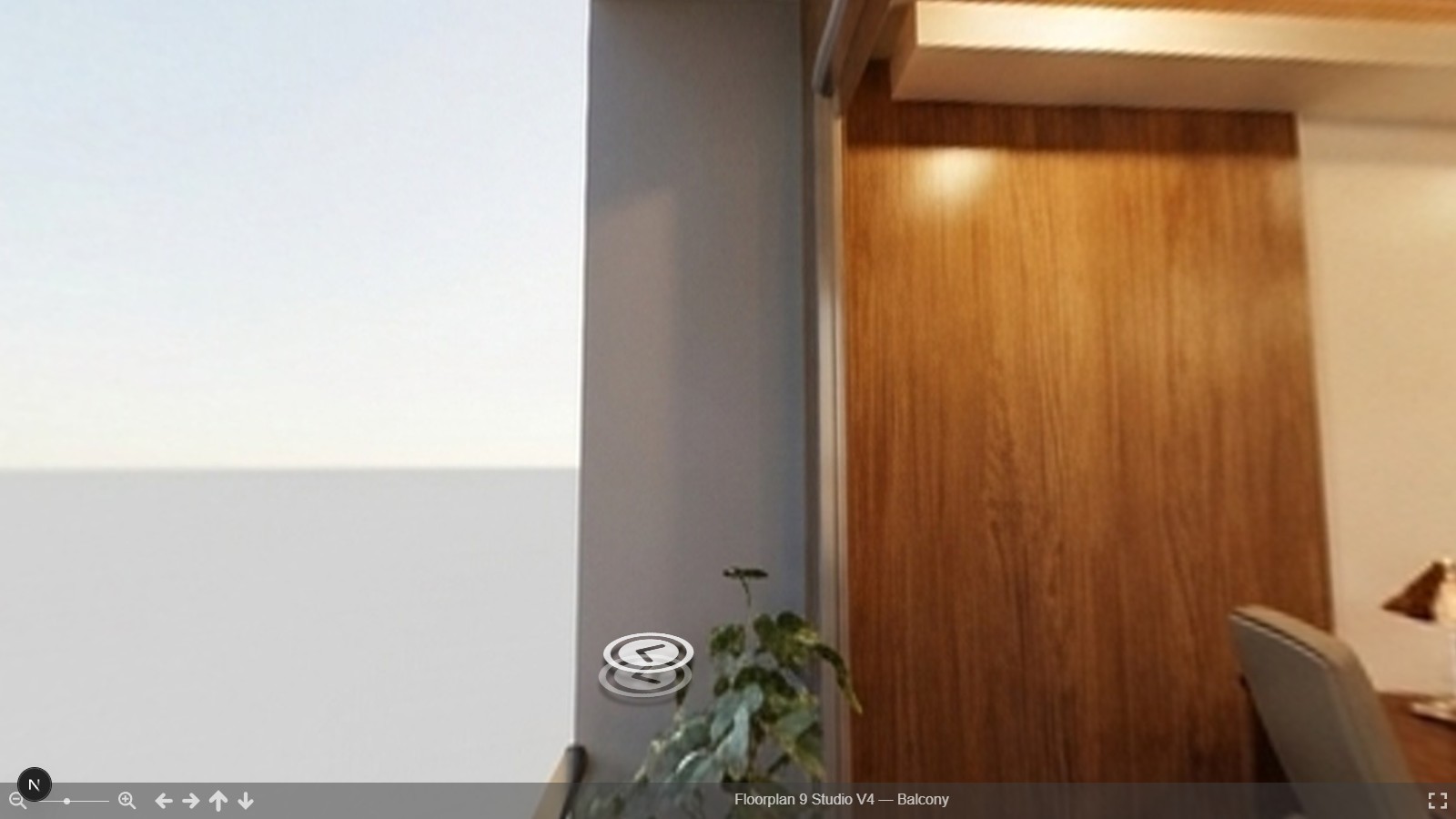
A rendered panorama solves the same problem differently: a virtual camera inside a 3D scene renders the full sphere directly, computing what every angle should look like from the scene's actual geometry, materials, and lighting. There's no stitching because there's nothing to stitch — one continuous render replaces several photos and a seam algorithm. The tradeoff is that a rendered panorama is only as good as the scene behind it; a real camera captures whatever is actually there, mistakes and all.
That difference has a practical consequence beyond image quality: a rendered panorama can be re-captured from the exact same viewpoint after the scene changes — swap a material, move a piece of furniture, render again — while a physical shoot has to be redone from scratch, on location, with the same lighting conditions reproduced by hand.
Why POV placement decides whether a tour feels right
The projection format is only half the story — where the camera sits inside the room matters just as much as how the image is projected. A viewpoint placed too close to a wall puts that wall close enough to the lens that it fills an unreasonable portion of the frame and can clip through the near-plane entirely. A viewpoint set at the wrong height — too low, too high, off from a natural standing eye level — makes furniture and ceiling proportions read wrong even though nothing about the room's actual geometry changed.
Good POV placement is boring by design: standing eye height, enough clearance from every wall that nothing near-clips, positioned where an actual visitor would naturally stand to take in the room. None of that is about making the image more impressive — it's about making the projection trustworthy, so a viewer's sense of the room's real scale matches what the room actually is.
Seams, poles, and other capture-specific problems
Two failure modes are specific to the equirectangular format, independent of whether the source is a camera or a render. Seams show up at the boundary between stitched source images (photo capture) or between rendered tile boundaries (render capture) — a visible line or double-exposed strip where two views meet. Pole handling is the zenith and nadir problem: directly up and directly down are single points that the projection stretches across an entire image edge, so a pole with real detail in it (a light fixture, a logo on the floor) will look smeared regardless of capture quality. Neither is solvable by capturing "better" — they're inherent to asking a sphere to be a rectangle, and the practical fix is choosing a POV where neither pole lands somewhere that matters.
Delivery in a sphere viewer
None of the above matters to a viewer unless the final image gets mapped back onto a sphere for display. A sphere viewer takes the flat equirectangular file and projects it onto the inside of a virtual sphere, then lets a viewer look around from the center — which is exactly what undoes the distortion from the capture step. The warped ceiling light becomes a normal light again the moment it's wrapped back onto real 3D geometry; the flat file was never meant to be looked at directly.
Getting started
For how the panorama step fits into the full room-building sequence, see the 3D model creation pipeline, floor plan to walkable tour. If you're weighing a panorama tour against other 3D formats for a walkthrough, see Gaussian splatting vs. mesh vs. panorama. And for what makes a published tour actually persuasive to a stakeholder deciding on a room, see virtual tours for stakeholder review.
See how it works or request early access to publish a panorama tour of your own room.